Apple Watch Series 8–10 vs Huawei Fit 4 Pro, Fitbit Versa 3, Amazfit Bip 3 & Noise: Real-World Comparison Beyond Specs
Real-world comparison of Apple Watch Series 8–10 vs Huawei Fit 4 Pro, Fitbit Versa 3, Amazfit Bip 3 & Noise. Honest insights reviewers like Tech Spurt missed.
What Tech Reviewers Often Overlook
By [Tommy Thounaojam] Editor TrendBrewers
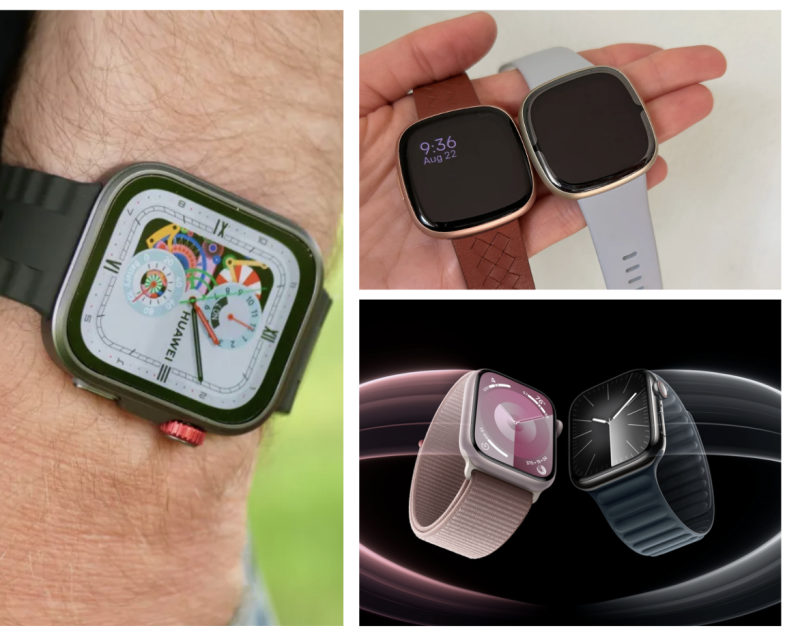
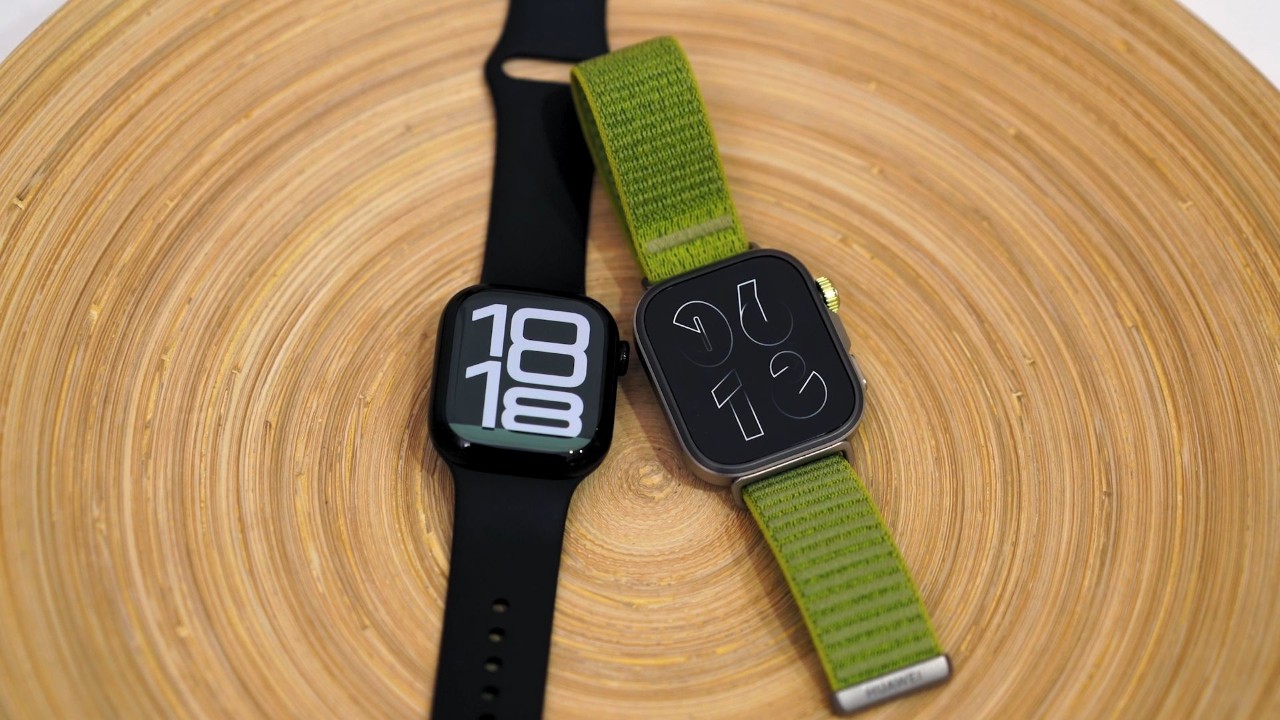
After personally using the Huawei Fit 4 Pro, Fitbit Versa 3, Amazfit Bip 3, and Apple Watch Series 8 — all paired primarily with my iPhone — I discovered a number of real-world usability differences that most tech reviewers, even reliable ones like Tech Spurt, orTech Jeof Reviews tend to overlook.
Spec sheets and YouTube reviews highlight fitness metrics, display quality, and battery life. But when you actually live with these devices — syncing music, stepping away from your phone, or using Always-On Display — the experience gaps become impossible to ignore.
Here’s what I’ve observed firsthand:
1. Apple Watch’s Wi-Fi and eSIM integration provide unmatched independence. It stays connected, syncs instantly, and lets you stream or download music directly without your phone.
2. Other smartwatches — running proprietary or Android-based OSes — only offer basic playback control (play, pause, skip, volume). None give you full library browsing.
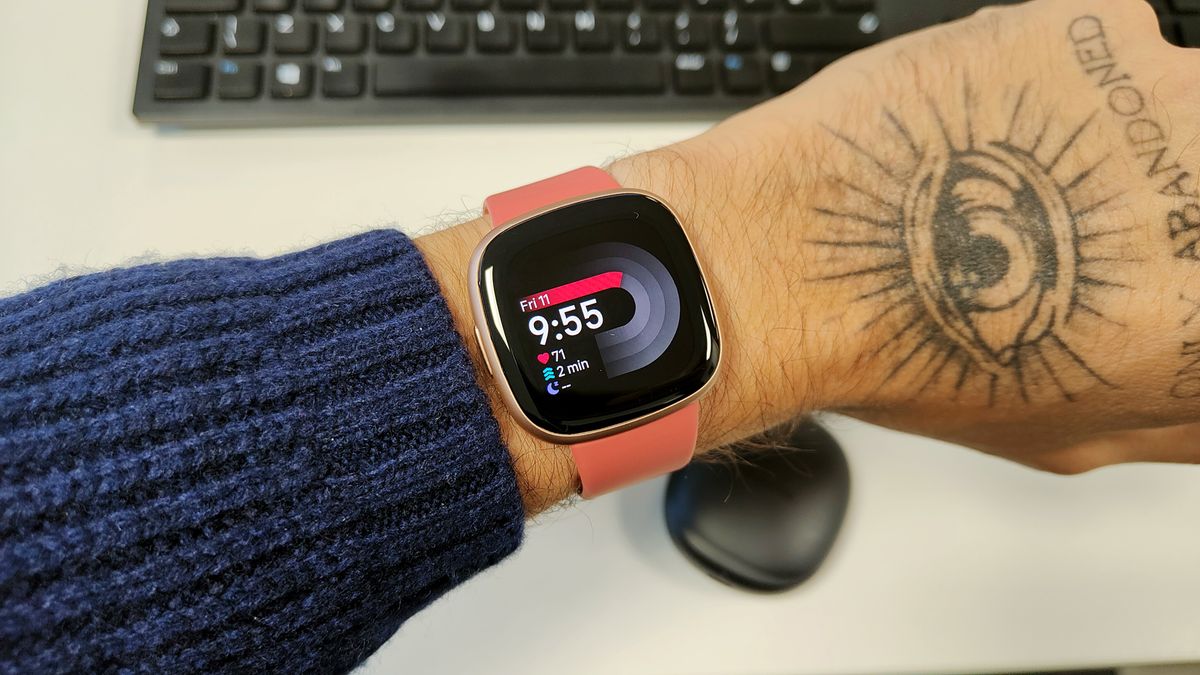
3. Always-On Displays on non-Apple devices feel like an afterthought, often replacing your chosen watch face with a generic digital clock.
4. ECG (electrocardiogram) support is missing or region-locked on many non-Apple watches — a serious drawback given the growing importance of heart health tracking.
5. Most competitors lack Wi-Fi or eSIM, forcing them to rely heavily on phone apps for data syncing and updates.
6. Battery life is where Apple loses — non-Apple watches often last a week or more — but the trade-off is reduced functionality and connectivity.
7. Price vs longevity: While Apple Watches are expensive upfront, upgrading cheaper watches every year or two often ends up costing more in the long run.
With that context, let’s dive deeper into the comparison — adding factual and technical detail while addressing what Tech Spurt and others missed.

Connectivity & Ecosystem Integration
What Tech Spurt noted:
He often praises Apple’s “buttery smooth” interface and Huawei’s battery efficiency. However, the real differentiator isn’t performance — it’s connectivity architecture.
Apple Watch Series 8–10
1. Connectivity: Dual-band Wi-Fi, Bluetooth 5.3, and optional LTE/eSIM.
2. Real-World Benefit: Even without your iPhone nearby, you can receive calls, texts, notifications, and stream Apple Music directly via Wi-Fi or LTE.
3. Sync Speed: Apps, health data, and notifications sync instantly across iCloud and iPhone.
Huawei Fit 4 Pro / Fitbit Versa 3 / Amazfit Bip 3 / Noise
a) These watches lack Wi-Fi or cellular independence.
b) Health data, notifications, and updates all depend on your phone’s Bluetooth connection.
c) Once you step outside Bluetooth range (~30 feet / 10 meters), syncing stops completely.
Verdict:
Apple Watch is an independent device; most others are just extensions of your phone.
Music and Media Access
This is arguably the most under-discussed area in smartwatch reviews — even by Tech YouTubers
Apple Watch (Series 8–10)
1) Full Apple Music Integration: You can browse and play your entire music library directly from the watch.
2) Streaming Capability: Works over Wi-Fi or LTE without needing to pre-sync songs.
3) Direct Output: Pairs instantly with Bluetooth earbuds.
Other Smartwatches
a) Limited Controls: Play, pause, skip, and volume only.
b) No Library Access: You can’t browse or queue new tracks.
c) Local Storage: Fitbit Versa 3 allows a few gigabytes but only works with select services like Deezer or Pandora. Spotify control is remote-only.
d) iPhone Compatibility: Huawei and Fitbit syncing with iOS is slower and less consistent.
Verdict:
If you use Apple Music, the Apple Watch is the only smartwatch that gives you complete control. All others are glorified remote controls.
Always-On Display (AOD): Design vs. Simulation
Apple Watch Series 8–10
>Uses an LTPO OLED display capable of dropping to 1 Hz refresh rate.
>The AOD retains your entire watch face — complications, analog hands, colors — in a dimmed but visible state.
>Result: It looks like a real watch, not a blank screen or digital clock.
Huawei Fit 4 Pro / Fitbit Versa 3 / Amazfit Bip 3 / Noise
1) Implement simplified AODs that show only the time or a static icon.
2) The original watch face disappears to conserve power.
3) Tech Spurt called Huawei’s AOD “a nice touch,” but it’s not the same experience — it sacrifices aesthetics and information for endurance.
Verdict:
Apple’s AOD offers true design continuity; the rest offer an imitation.

Health Tracking and Regional Limitations
Apple Watch Series 8–10
1) Includes ECG, blood oxygen, skin temperature, and (with watchOS 11) sleep apnea detection.
2) FDA-cleared ECG and irregular rhythm notifications in the U.S.
3) Data integrates directly into Apple Health, accessible across iPhone, iPad, and Mac.
Huawei Fit 4 Pro / Fitbit Versa 3 / Amazfit Bip 3 / Noise
a) Offer accurate heart-rate and SpO₂ tracking, but ECG features are unavailable or restricted in many regions.
b) Huawei’s TruSeen 5.5+ sensors are advanced, but lack FDA or CE certification.
c) Fitbit’s ECG and stress-tracking are available in select markets, but syncing reliability with iOS is hit-or-miss.
d) Budget brands like Noise focus more on SpO₂ and sleep, with less clinical precision.
Verdict:
Apple’s edge isn’t just sensor quality — it’s regulatory approval and data reliability within a unified health ecosystem.

Syncing, Apps, and Data Transfer
Apple Watch
1) Health and app data sync automatically through iCloud.
2) Updates download over Wi-Fi — no need to open companion apps.
3) Most third-party apps (Strava, Notion, Outlook, etc.) run natively on watchOS.
Other Brands
a) Require manual syncing through apps like Huawei Health, Fitbit, Zepp, or NoiseFit.
b) Data can remain unsynced for hours if Bluetooth disconnects.
c) Notification interactivity (reply, emoji, dictation) is limited or unavailable on iPhones.
Verdict:
The “seamlessness” Apple advertises isn’t marketing — it’s real. Competing watches simply don’t have the OS-level access to deliver it.
Battery Life & Power Efficiency
This is where Apple clearly trades convenience for capability.
| Watch | Typical Battery Life | Notes |
|---|---|---|
| Apple Watch Series 8–10 | ~18–30 hours | Heavy use drains daily; fast charging adds 50% in ~30 min. |
| Huawei Fit 4 Pro | 7–10 days | Around 4 days with Always-On Display. |
| Fitbit Versa 3 | 3–5 days | Varies by GPS and AOD usage. |
| Amazfit Bip 3 | 7–10 days | Simpler OS, fewer background tasks. |
| Noise Smartwatches | 5–7 days | Budget build, limited sensors. |
The longer battery life on non-Apple devices is due to reduced sensor polling, no Wi-Fi/eSIM, and lower refresh rates. Apple’s shorter life powers richer features — constant connectivity, high-refresh display, and continuous health tracking
Long-Term Value: The True Cost Equation
At first glance, Apple Watches are expensive. But when you consider longevity and updates, the cost gap narrows — or even reverses.
Example:
Apple Watch Series 8: $399 USD (base GPS) or $499 USD (GPS + Cellular).
Average Non-Apple Smartwatch: $100–$200 USD.
If a user upgrades a $150 smartwatch every 1–2 years for new features, over 5 years that totals $375–$750 — easily matching or exceeding Apple’s price.
Apple Watches also receive watchOS updates for up to 6 years, whereas many competing brands end support within 2–3 years.
Conclusion: What Most Tech YouTube Reviewers Missed
Youtube Tech Reviewers reviews are informative, especially around display quality and fitness tracking, but they understate the importance of ecosystem integration.
In everyday life, what separates the Apple Watch isn’t just hardware polish — it’s software cohesion, device independence, and seamless data flow